
Maintenance
Part of Digital wallet guide: Credentials and payment flows
Contactless payment security checklist, link by link
A contactless payment security checklist for privacy, link by link: what range and a token protect, what merchant and app still collect, what to deny.
What to take away
- A tap passes through a phone, a radio link, a wallet, a token, a terminal, a merchant, an issuer and often a processor. Privacy depends on every link.
- Short NFC range limits one exposure and does nothing about a compromised device or a swapped terminal.
- Tokenization replaces a card number in one flow. Merchants still collect device and transaction data.
- Permissions, loyalty enrollment and wallet sync are the privacy settings you control.
- Keep both the wallet record and the issuer statement after a suspicious tap.
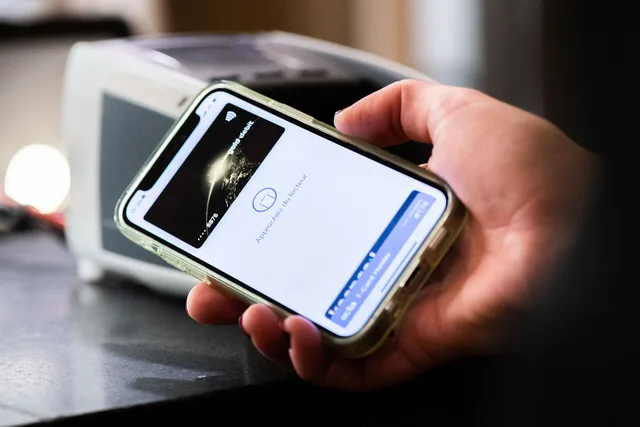
A contactless tap is not one exchange between you and a till. It runs through a phone, a radio link, a wallet, a token, a terminal, a merchant, an issuer and often a processor in between. A review that stops at the phone misses most of that path.
What the radio link does and does not protect
Short range limits one exposure and nothing else. The NIST mobile communication threat catalogue describes NFC as a short-range RFID mechanism used by mobile payments, and treats each wireless and wired interface as its own attack surface. Range is one control among several.
Device compromise, account takeover, malicious apps, altered terminals and plain payment fraud all stay open. Treat proximity as a small control, not a guarantee, and look at the other links in the chain.
The phone and the account behind it
Privacy starts on the phone and the account that backs it up. Whoever controls the recovery email can often reset everything behind it, so audit that account first, then the device. Find out whether wallet data syncs across devices, and remove old devices after a transfer or sale.
- Run a supported operating-system version and install updates when they arrive.
- Set a long lock code and check that nobody has added a fingerprint or face.
- Remove unknown profiles, certificates and device administrators.
- Turn on multifactor authentication and alerts for new devices.
Wallet controls sit on top of the phone and the account, so an audit that skips them proves little. A strong lock code does little if the recovery email is weak, and a protected account does little on a phone with unknown device administrators. The two checks work as a pair.
Device hardening before wallet setup
- Run a supported operating-system version
- Install security and wallet updates
- Set long lock code, short auto-lock
- Check biometric enrollment for strangers
- Remove unknown profiles and administrators
- Leave phone unrooted and unjailbroken
- List accessibility and overlay access
Lock down the recovery account
- Use a password found nowhere else
- Turn on multifactor authentication
- Review trusted devices and sessions
- Protect recovery email and phone
- Alert on new devices and changes
- Write down official support route
- Remove old devices after sale
Write down what the wallet holds
You cannot judge what a wallet exposes until you know what is in it. Keep a short record, one line per item:
- Card
- issuer, last four digits, device and status.
- Stored balance
- provider, amount and withdrawal route.
- Watch
- paired account and active cards.
- Transit mode
- whether it works when locked, and its limit.
- Merchant credential
- provider and how to remove it.
- Pass or ID
- device-only, or synced to the cloud.
Each item is another place to check and another thing to remove when a device changes hands. Keep full card numbers, security codes, PINs and seed phrases out of that file.
What to record per wallet item
Item
- Card
- Issuer, last four, device, status
- Stored balance
- Provider, amount, withdrawal route
- Watch
- Paired account and active cards
- Transit mode
- Works when locked, and limit
- Merchant credential
- Provider and how to remove
- Pass or ID
- Device-only or synced to cloud
What to record
- Card
- Stored balance
- Watch
- Transit mode
- Merchant credential
- Pass or ID
What a token hides, and what it does not
A token substitutes for a card number inside a defined flow. It does not check the merchant, stop account takeover or settle who pays after fraud. Merchants and their providers still process identity, device, location and basket data, so tokenization limits one data element in one flow.
EMVCo publishes technical specifications for payment tokenization. Network services such as Visa Token Service and Mastercard Digital Enablement Service can support tokenized credentials; neither the specifications nor a token decides who bears a loss or what transaction data a merchant may collect.
PCI DSS, the Payment Card Industry Data Security Standard, sets security requirements for organizations that store, process or transmit payment-card data. It is not a personal wallet setting or a guarantee that a payment is private or fraud-proof. Ask the issuer these questions instead:
- Does the wallet provision a device-specific token?
- Do phone and watch hold separate credentials?
- Can one token be suspended without closing the account?
- Are alerts on for wallet enrollment?
Token and card control checks
- Ask issuer about device-specific token
- Record token suffix when shown
- Check phone and watch credentials
- Confirm which card is default
- Remove expired and unused cards
- Turn on issuer wallet-enrollment alerts
- Ask if one token can be suspended
Who receives which field
The FTC's staff report on mobile payments notes that in a traditional credit card transaction a merchant will have sensitive financial information about consumers, but will generally not also have their contact information and a record of their location.
A tap adds parties to that picture: the phone, the wallet and the issuer join the merchant, and each of them can hold a different part of the record. Asking who receives each field is the practical way to find where your data collects.
| Party | Question to ask |
|---|---|
| Phone and operating system | Which apps hold accessibility, notification, overlay and screen-capture access? |
| Wallet and cloud account | Does wallet data sync, and who controls the recovery route? |
| Issuer | Is the credential a device-specific token, and can it be suspended alone? |
| Merchant | Does loyalty enrollment link my identity to purchase history? |
| App publisher | Which retention and deletion terms apply to what it collects? |
The FTC report is old, so confirm current practices with each provider. Use the table as a script for that conversation, not as a claim about what any one provider collects.
Permissions and what the app collects
Tie each access type to a feature you actually use, and deny anything with no clear function. The wallet or banking app may ask for any of these:
Permissions to tie to features
- Camera
- Contacts
- Location
- Nearby-device
- Notification
- Photo
- Microphone
- Analytics
- Choose while-in-use location where that works.
- Turn off marketing notifications that bury security alerts.
- Set ad-personalization and cross-app tracking to what you intend.
- Check whether loyalty enrollment links your identity to purchase history.
- Read the retention and deletion terms.
- Recheck permissions after major updates.
A setting chosen once is not a setting chosen for good. Updates can add new access types, so the check belongs on a calendar rather than in memory.
The terminal and the merchant
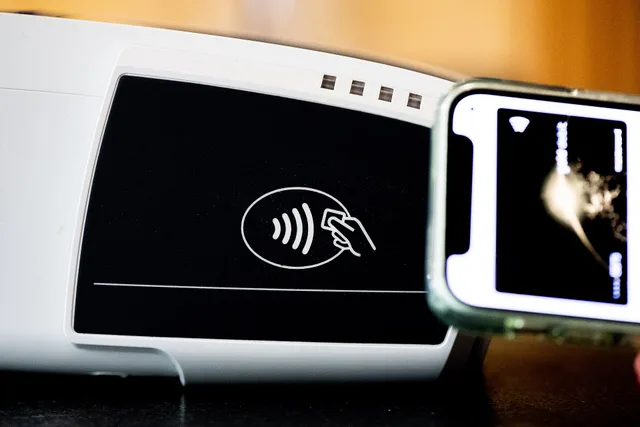
The terminal is the one link you cannot inspect from your phone. Prefer an integrated reader over a device added at the counter, and read the amount and merchant on its display before approving.
Wait for the merchant's final response rather than the phone animation, and ask before tapping a second time. Take or request a receipt.
If the terminal acts oddly, switch to another verified method. Report suspected tampering to the merchant and do not handle the device. A contactless symbol does not promise that a terminal takes every wallet, and the merchant and its providers still hold the transaction data.
Reading the record afterward
The wallet shows a convenience record. The issuer holds the statement that counts. Compare the wallet notice against the merchant receipt, pull the underlying record, and separate pending from posted.
Reconciling a payment record
- Confirm merchant and amount
- Compare wallet notice to receipt
- Pull underlying card record
- Separate pending from posted
- Save wallet, merchant, issuer references
- Question currency or location mismatch
- Report unauthorized activity promptly
Save the reference numbers from the wallet, the merchant and the issuer, and question any mismatch in currency or location. For an unauthorized electronic transfer from a consumer account, the Electronic Fund Transfer Act and Regulation E may apply, and coverage depends on the account and transaction. Report promptly to the issuer, because notice timing can affect protections.
State attorneys general enforce state consumer-protection and privacy laws where applicable, and protections vary by state.
The Federal Trade Commission enforces federal consumer-protection law against unfair or deceptive privacy and data-security practices by many nonbank businesses; its jurisdiction does not cover every financial institution. For concerns about a payment app or merchant, the FTC may be a relevant complaint route, alongside contacting the provider and your state attorney general.
Common questions
Does tokenization make a purchase private?
No. A token can stand in for the card number, while the merchant and its providers still process identity, device, location and basket data. Tokenization limits one data element in one flow.
Who sees my data when I tap?
More than the phone and the till. The chain includes the wallet, the issuer, the merchant and often a processor. Ask each provider who receives which field, and confirm current practices rather than assuming.
Should I turn NFC off when I am not paying?
That is a device and risk-preference call. Strong lock controls, wallet authentication, updates and account monitoring matter either way, and turning the radio off does nothing about a compromised account.
What should I save after a suspicious tap?
Keep the receipt, the wallet notice, the underlying account record and the device name, plus the status, the amount and every case number. If money moved without your approval, contact the issuer's fraud line promptly. State protections and card-network terms may also apply.